
If you have received your admission letter, you are ready to start your orientation process!
- Download the DuoMobile app on a phone that you can use regularly. Here are links to app stores: Apple Store ; Google Store. Choose “University of Kentucky.”
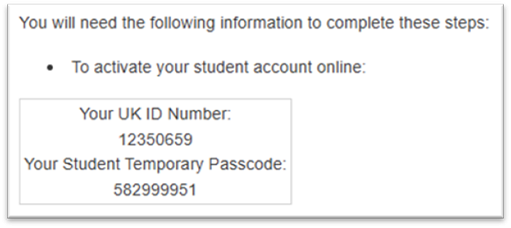
- Go to First Time Activation and enter information from your admission letter:
- Use the Account Manager to log in with your LinkBlue username and password:
- Open "Two-Factor Login"
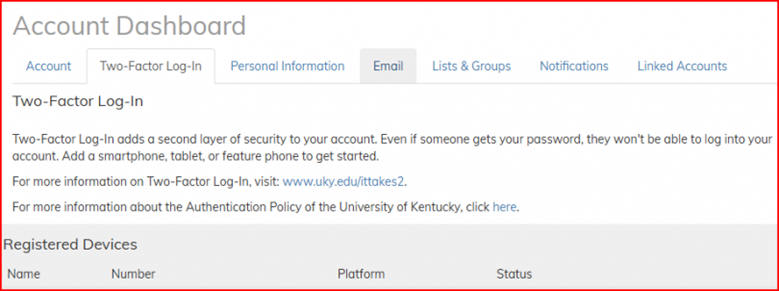
- Add, remove, and update your devices. If you change phones at any time, you can update here.
- Make sure you always have a phone number listed to a phone you can access daily.
Note: What is the difference between Student ID Number and LinkBlue?
| Student ID Number | LinkBlue Username and Password |
| important for Campus Services (gymnasium, events, library, etc.). When you talk with campus staff, they will often ask for this number, and it will be on your UK Student ID Card: Wildcard Information. | important for online services (Campus Wi-Fi, payments in myUK, class grades/assignments/announcements in Canvas, etc.). Every day you will need these to log in, so either memorize them or save them on your phone. |
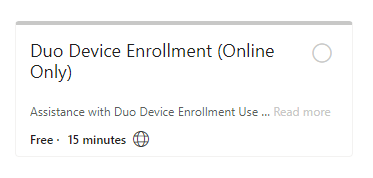
Need technology help?
|
Schedule an appointment with our Technology Staff If you want us to come to the appointment, add this in the Notes section: "Please add ESL@uky.edu to this meeting to assist me, as I am a limited English speaker." |
 |
Virtual Orientation Checklist - REQUIRED


Due by the Virtual Orientation date for your starting session:
Complete the online Virtual Orientation Checklist.
- Log in using your LinkBlue username and password.
- If you have any questions, you can email us at ESL@uky.edu.
- Class Registration will be completed by staff according to your selections.
- Billing will be processed the following day after the deadline.
- Payment will be due the day before classes begin.
Virtual Campus Tour